
TL;DR
- 2x6 strip: the classic multi-frame strip. Fastest to print, so best for big receptions and galas where the queue matters.
- 4x6 print: postcard size with up to four photos, or one large photo. Popular for weddings and guestbooks.
- Design rule: two fonts at most, names and date in the footer or header, and colours lifted from your invitation.
- Guestbooks: both formats fit our guestbooks, and face-detection prints an extra copy per session for the book.
- Included: every Ghost Booth Events package includes a custom print template matched to your stationery.
A photo booth print template is the designed layout every photo drops into: the frame, the text, the colours and where the photos sit. The two formats that matter are the 2x6 strip (also called 6x2) and the 4x6 print (also called 6x4), and the right one depends on guest numbers, queue speed and whether the prints are going into a guestbook.
Every photo booth package we offer includes a custom-designed template matched to your stationery, so this guide is about making good decisions with your designer, not about downloading a generic file.
2x6 strip vs 4x6 print at a glance
| 2x6 strip | 4x6 print | |
|---|---|---|
| Shape | Tall, narrow strip | Postcard, landscape or portrait |
| Photos per print | Several frames stacked vertically (three in every example on this page) | Up to four, or a single large photo |
| Print speed | Fastest of the two | Slower than a strip |
| Best use | Large receptions, galas, corporate events, anywhere the queue matters | Weddings where each photo should feel like a portrait |
| Guestbook fit | Slots neatly into a guestbook page beside a handwritten note | Popular for guestbooks; fills more of the page |
| Design space | Header or footer band for names, monogram, date or logo | A corner or band for names and date |
| Feel | Classic, playful, a sequence of poses | Editorial, keepsake, frameable |
Our own guidance for corporate events follows the same logic: for ballroom galas over 300 guests we recommend strip prints for throughput, and at gala dinners strips keep things moving between courses.
The 2x6 strip: what it looks like in practice
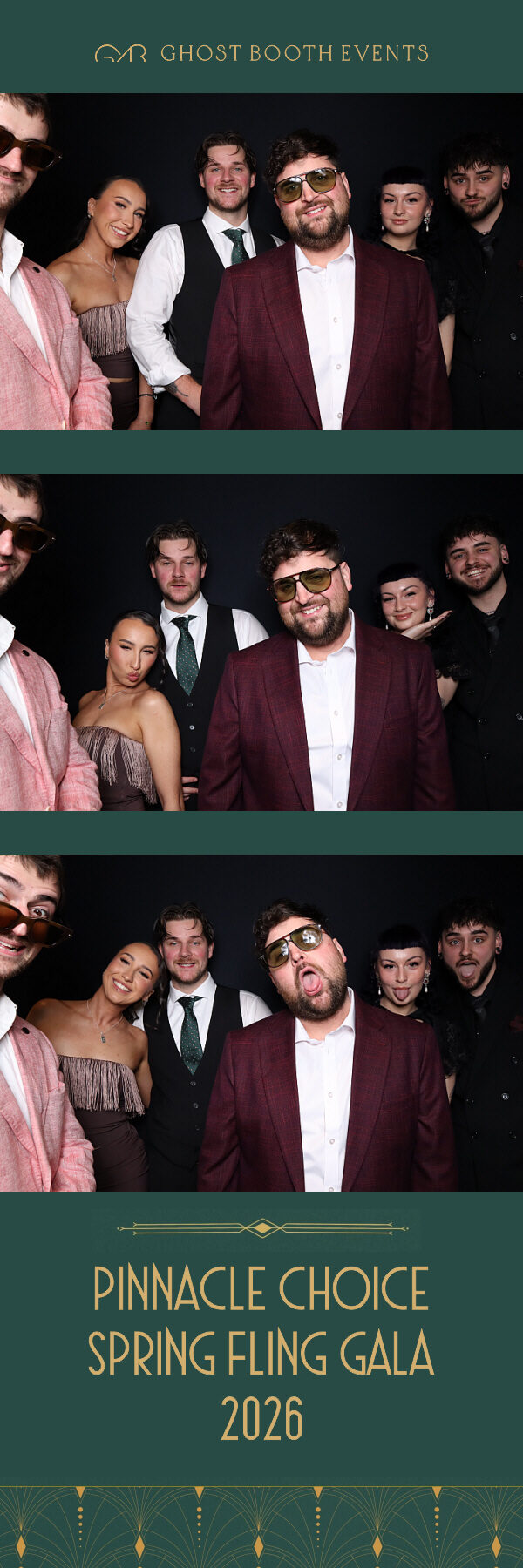
The hero image on this post shows a wedding strip: three photos on a black backdrop, our small logo in the header band, and a footer with a large two-letter monogram, the couple’s names in spaced capitals, and the venue and date running vertically up the side. It’s a good example of how much information a narrow footer can hold when the type is disciplined.
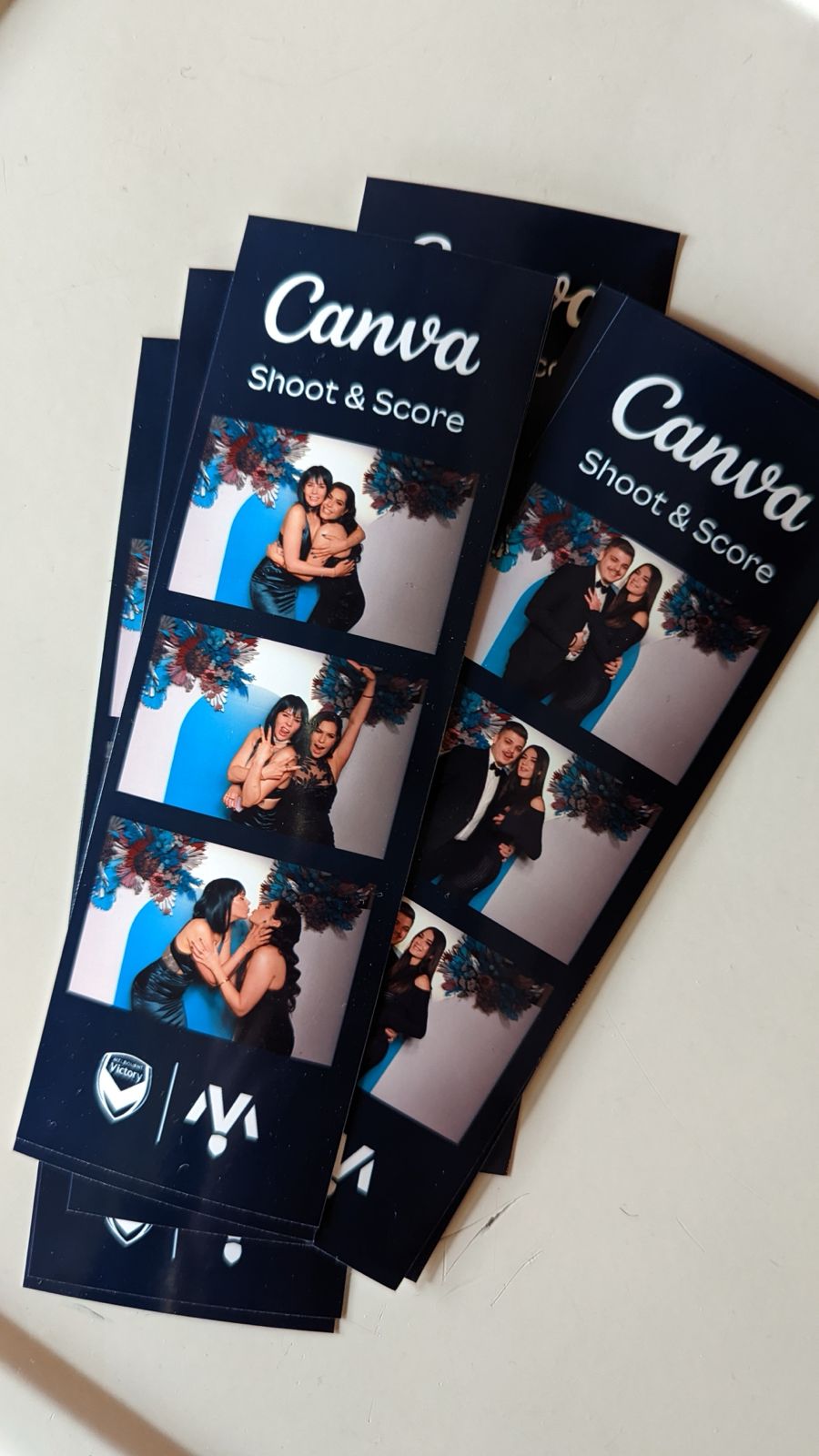
A dark template works: navy strip, white logo and event name in the header, partner logos in the footer.
Strip design tips:
- Use the header and footer, not the gaps. Thin bands between frames are too small for text.
- Keep the footer to three elements. Names or logo, a date or event name, and one decorative mark. More than that turns into clutter at strip width.
- Mind the vertical text. Running a date or venue up the side, as on the strip above, saves space, but keep it short.
- Dark templates are fine. A navy or black strip with white type looks rich, as the Canva Shoot and Score strips show. If you’re adding props, keep the template simple so the frames don’t get too busy.
The 4x6 print: what it looks like in practice
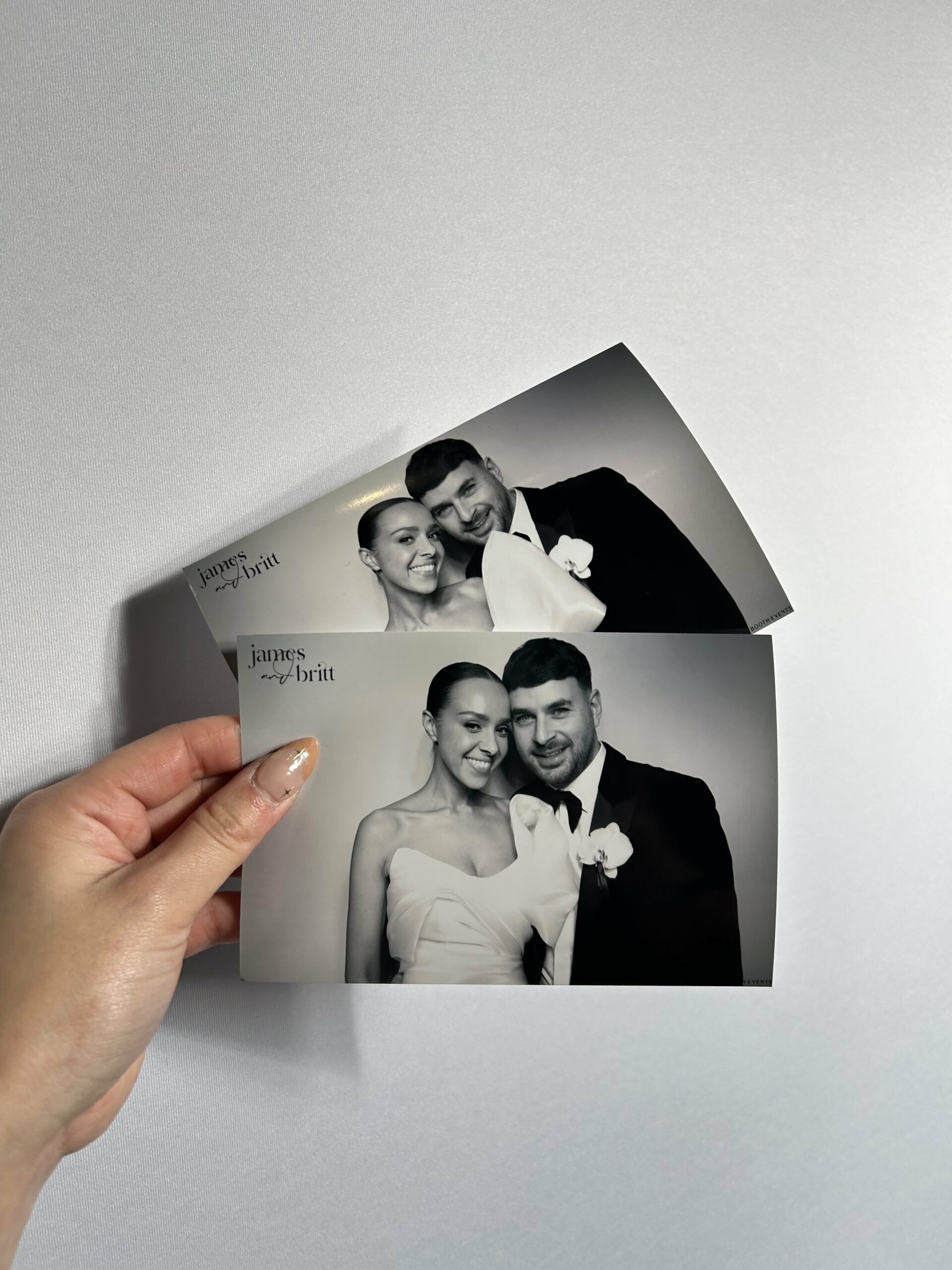
One large photo per 4x6 print, in black and white, with the couple’s names in a small script mark in the corner.
The 4x6 print can hold up to four photos, but some of the most striking designs use just one. The example above is a single landscape black and white photo per print, with the couple’s names set as a small script mark in the top-left corner. It reads like an editorial portrait rather than a booth print.
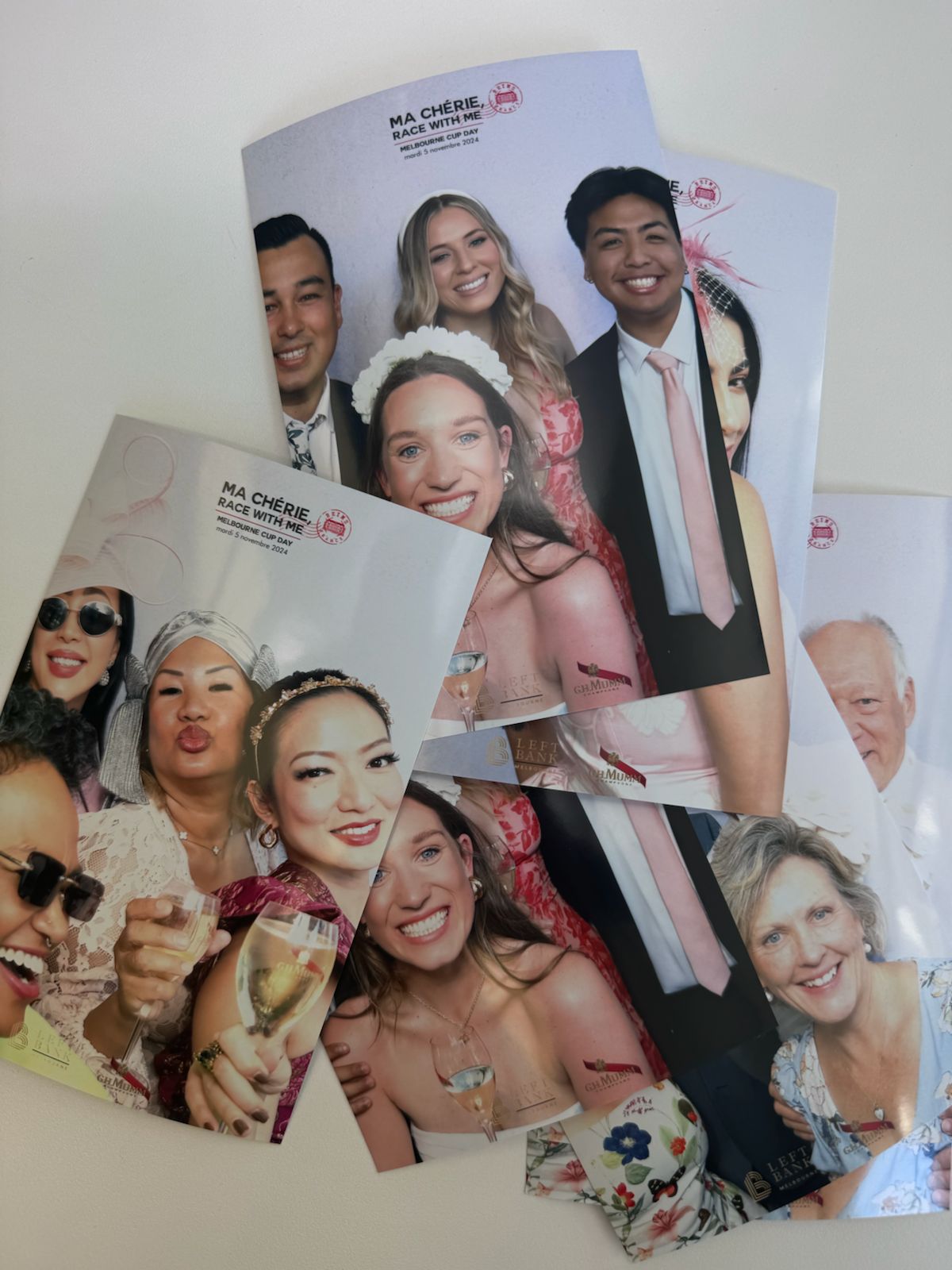
Portrait 4x6 prints for a Melbourne Cup Day event: event title at the top, sponsor logos along the bottom, one big photo in between.
The Melbourne Cup Day prints above flip the format to portrait: a single photo filling most of the print, the event title set at the top, and two venue and sponsor logos along the bottom edge. For corporate work this layout gives the photo room to breathe while still putting the brand on every print.
4x6 design tips:
- Decide early between one photo and several. A single photo is more editorial; four photos tell more of a story but each is smaller.
- Keep text in one zone. A corner mark or one band, not text scattered around the photo.
- Black and white flatters everyone. It also sidesteps any clash between outfits and template colours.
Design ideas that work on either format
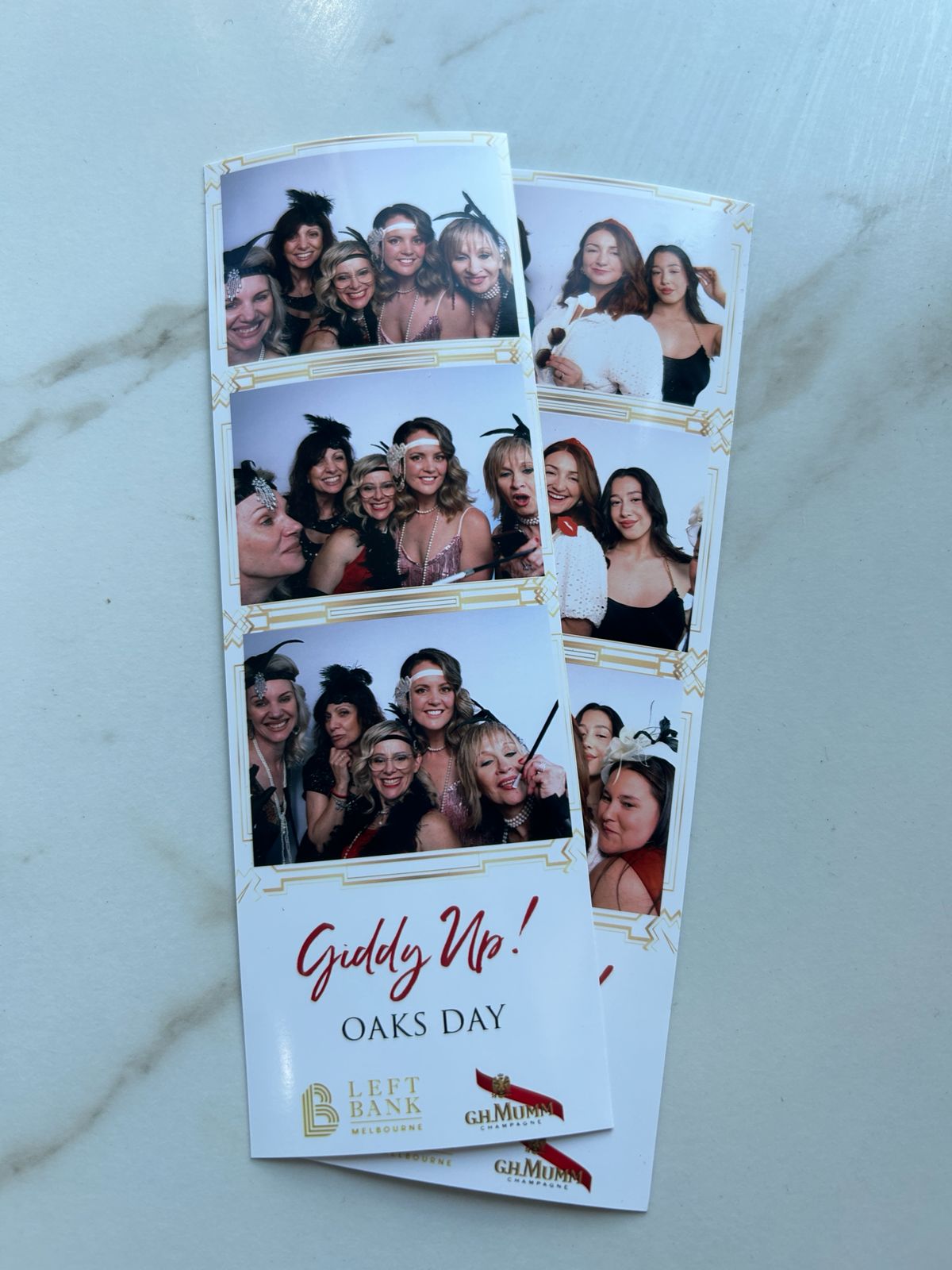
Theme carried into the template: gold art deco borders, a red script headline and two logos, for an Oaks Day event.
Fonts
- Two fonts maximum. Typically one script or display font for names and one clean serif or sans-serif for the date.
- Avoid hairline scripts at small sizes. Very thin strokes can break up in print. If your invitation uses a delicate script, use it large for names only.
- Use spaced capitals for small text. Dates and venue names in widely spaced capitals stay legible at tiny sizes, as in the strip in this post’s hero image.
Names and dates
- Names: first names only, joined by an ampersand, a heart or “and”. Surnames add length without adding much.
- Date format: numeric (16.12.23) is compact; written out (5 May 2023) is more formal. Pick one and match your invitation.
- Monogram: a two-letter monogram is the most elegant way to fill a strip footer.
- Hashtag: only if you’ll actually use it. Otherwise it’s clutter.
Colour matching your invitations
This is where a custom template earns its place. Send us your invitation suite and we match the fonts, colours and motifs. One of our Google reviewers, Linley Henry, wrote that Gina “went above and beyond by customising the photo strips to perfectly match our wedding invitation design, including the colours, fonts, and overall style.”
- Lift two colours, not five. A background tone and one accent from the invitation is enough.
- Reuse a motif. A crest, a botanical sketch or a border from the invitation ties the print to the rest of your stationery, including welcome signs and seating charts.
- Think about the backdrop too. A black backdrop and a black and white template look deliberate together. See our backdrop ideas.
Corporate templates
- Logo placement: header for the host brand, footer for partners and sponsors.
- Event name: short and specific. “Oaks Day” or “Conference 2026” beats a long tagline.
- Brand colours: use your guidelines exactly. For corporate bookings, prints, screen overlays and GIFs are all proofed before the day. More on our corporate photo booth page.
Prints and the guestbook
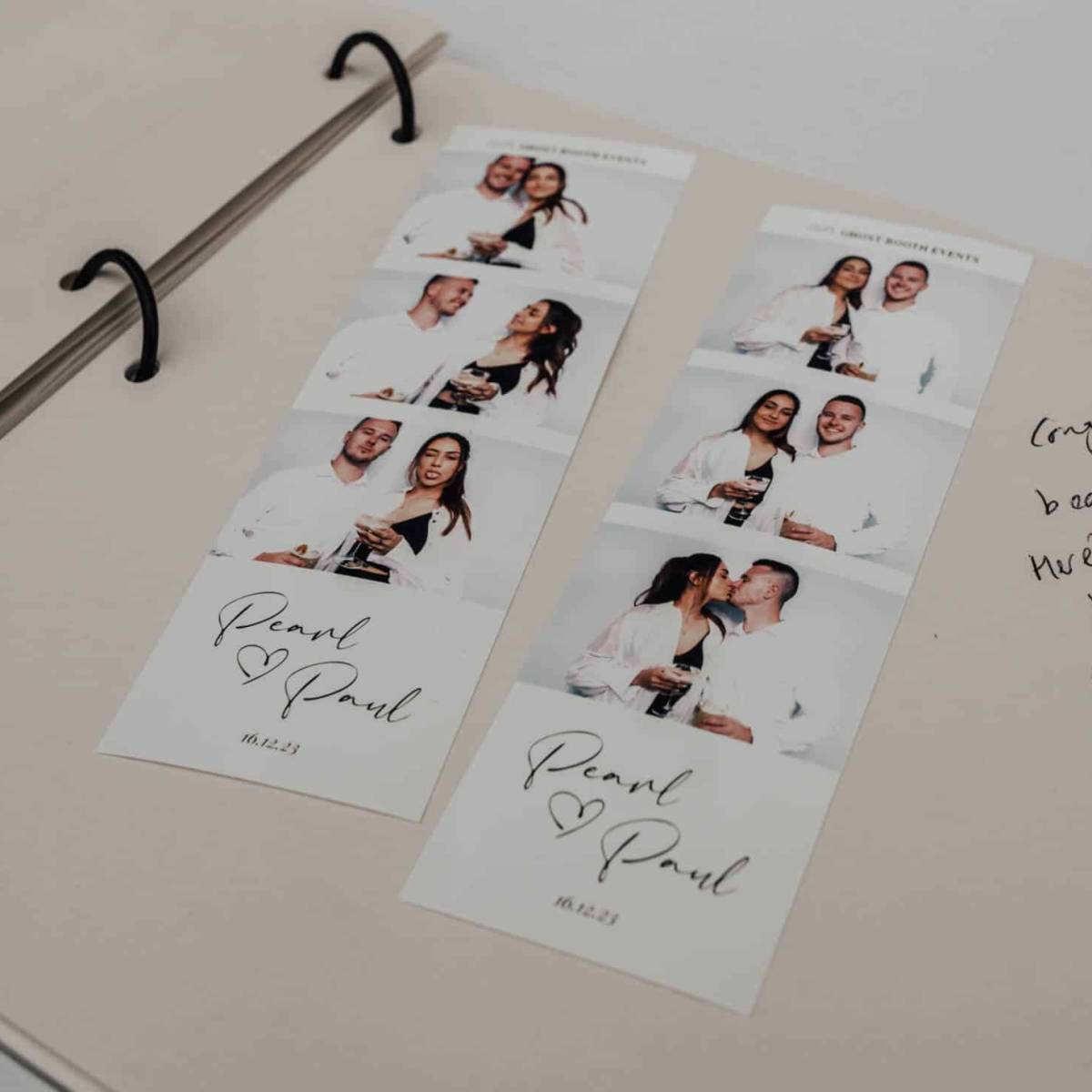
Strips in a ring-bound guestbook, with a handwritten message beside them.
Both formats work in our handmade guestbooks, which are designed to hold booth prints beside written messages. The booth’s face-detection prints one copy per person in the shot, plus an extra copy per session for the book, so nobody has to choose between keeping their print and leaving one behind. For more layouts, see our photo booth guest book ideas.
Which should you choose?
- Over 150 guests, or a gala: 2x6 strips for speed, ideally with our Attended package (see attended vs remote booths) and enough hours of hire to cover the post-first-dance peak.
- A styled wedding where prints go on the fridge or into frames: 4x6, possibly a single black and white photo.
- A guestbook as the keepsake: either works; strips leave more room for messages on each page.
- Corporate branding: strips for high-traffic events, portrait 4x6 when the photo should dominate.
Pricing, inclusions and package differences are on the photo booth hire Melbourne page, and our pricing guide explains what moves a quote. When you’re ready, send us your invitation and date and we’ll start on your template.
Photo booth print template questions
What sizes are photo booth prints?
Ghost Booth Events booths print two formats: the classic 2x6 strip (also called 6x2) and the postcard-size 4x6 print (also called 6x4). Strips print fastest; 4x6 prints hold up to four photos or one large photo.
Is a custom print template included?
Yes. Every Ghost Booth Events package includes a custom-designed print template matched to your stationery. We regularly match the fonts, colours and motifs from your invitation suite, and corporate templates carry your logo and brand colours.
Which print format is best for a photo booth guestbook?
Both fit our guestbooks. The 4x6 is popular for weddings and guestbooks because it fills the page, while strips leave more room beside them for handwritten messages. Face-detection prints an extra copy per session for the book.
How many photos fit on a photo booth strip?
Every strip example shown in this post has three photos stacked vertically, with a header or footer band for names, a date or a logo.